The New Pinpointe UI Has Arrived
The wait is over: the New Pinpointe UI is here.
It's a from the ground up refresh of 8 of the areas you work in most — Contacts, Forms, Journeys, Manage Email Messages, Manage SMS Messages, Resources, Segments, and Webhooks — built to be faster, cleaner, and easier to navigate.
Try it at your own pace! Switching over is completely optional, and you can move back and forth as often as you like.
This latest release also fixes two reported bugs and retires the Survey tool for good. Here's everything, and what it means for how you work.
The New Pinpointe UI
We rebuilt the interface from the ground up to be more modern and intuitive, streamlining the workflows you use every day. It's also the foundation for faster, smarter capabilities we have planned for Pinpointe going forward, including upcoming AI-powered features.
The refreshed experience is now available in:
The New UI only changes the look and navigation of these sections.
Don't worry! Your data, settings, and existing workflows remain exactly as they are.
Smaller improvements in New UI 1.0
Beyond the new look, New UI 1.0 includes a handful of upgrades to how you work with data across the platform:
- Faster exports — Exporting contacts and other data loads significantly faster in the New UI.
- Redesigned tables — New pagination and updated column headers make it easier to scan and work through large lists.
- Personalized columns — Choose exactly which columns appear in any table.
- Drag-and-drop columns — Reorder and resize columns to fit the way you work.
How to switch to the New UI
- Log in to Pinpointe and navigate away from the main dashboard.
- A banner will appear at the top of the screen inviting you to try the New UI.
- Click Try New UI on the right side of the banner.
- If the change doesn't appear immediately, refresh your browser.


How to switch back to the Legacy UI
- To stay on the current Legacy UI experience, simply don't click the Try New UI button on the banner — no action is required.
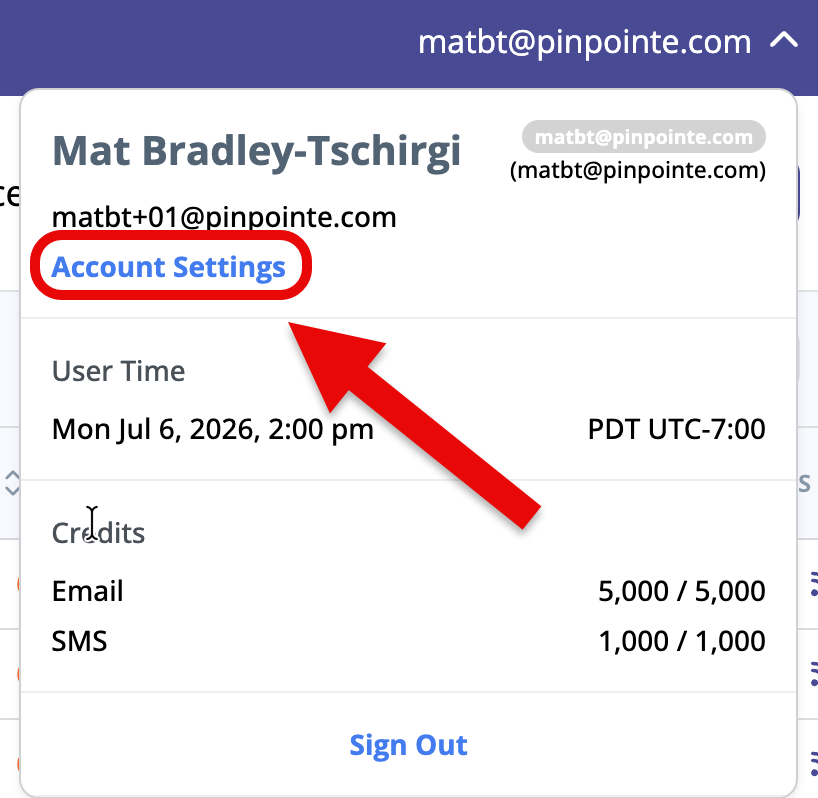
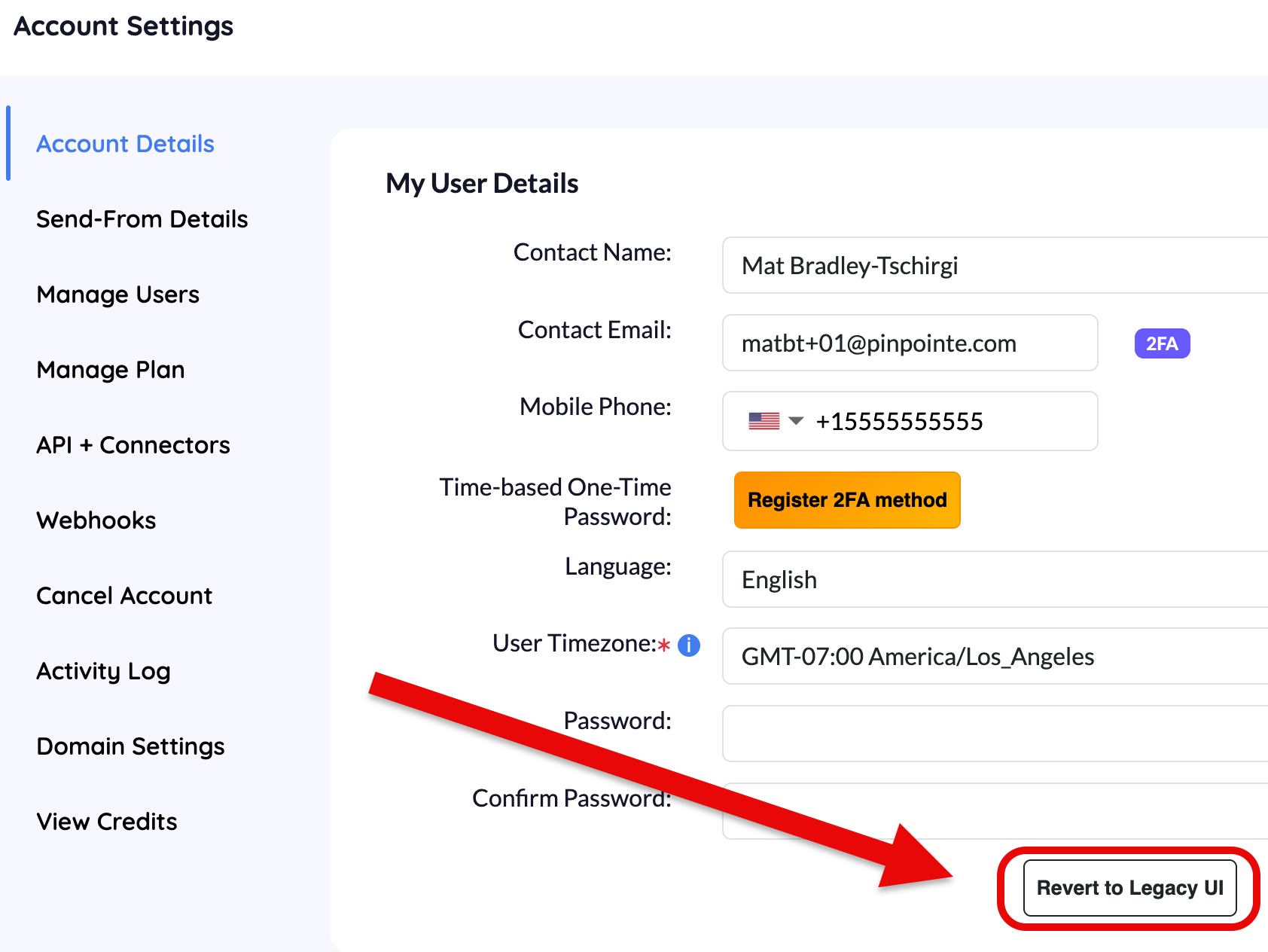
- If you've already switched and want to revert, click your username in the upper-right corner and select Account Settings.
- Click Revert to Legacy UI.
Fixes & Product Updates
Bug Fixes

Custom field values containing a double quote (") previously caused CSV exports to break. Exports now complete correctly regardless of the characters used in your data.
Segments using a “clicked a link” condition previously returned different results depending on whether the channel filter was set to Any Channel or Email. Counts are now consistent regardless of which channel is selected.
Deprecations

Pinpointe's Survey feature has been fully retired. All references to and access points for Surveys have been removed from the UI, and links to existing surveys are no longer active. Customers who need historical survey data should contact their account manager or Pinpointe Support.