On the Data Feeds screen, click the Actions icon (...) next to the Data Feed you want to view.
This will bring up the Data Feed Action Menu (Fig 1).
Fig 1
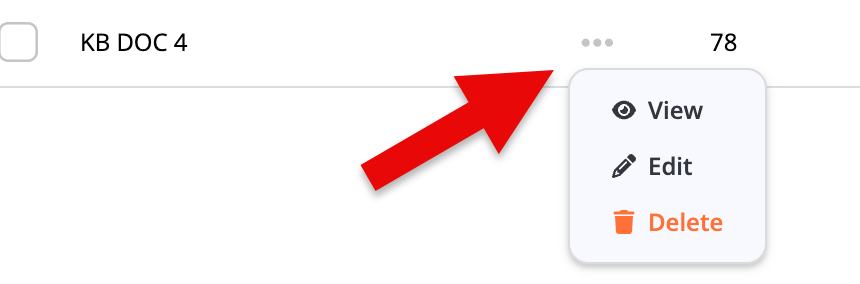
Click the Edit option to bring up the Edit Data Feed screen (Fig 2).
Fig 2
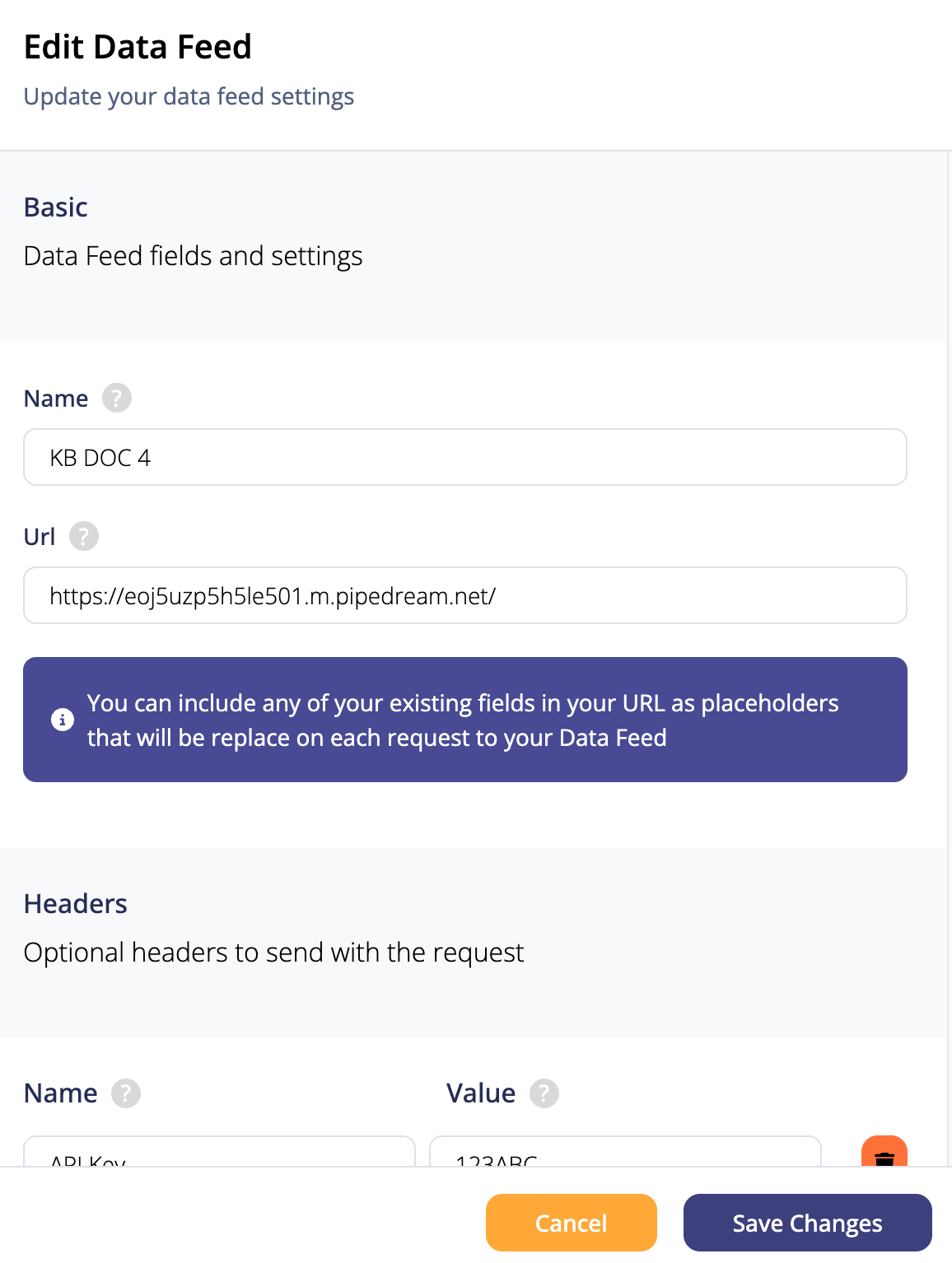
When you Edit a Data Feed, you can look at and change whatever field you want.
After you're done making your changes, click on the Save Changes button to save them.
If you click the Cancel button, your changes won't be saved!
Learn more about Data Feeds by accessing the pages below:
- Creating Data Feeds
- View Data Feed
- Delete Data Feed
- Adding Data Feed in DND Builder
- Adding Data Feed in Basic Editor