A bounced email is an email that does not reach its intended recipient. This delivery failure can be the result of one of several different reasons, such as using an invalid email address or the incoming email being flagged for containing blocked content.
Pinpointe categorizes undelivered bounced emails into two categories:
- Soft bounces
- Hard bounces
Viewing your bounced email contacts
TABLE OF CONTENTS
New UI
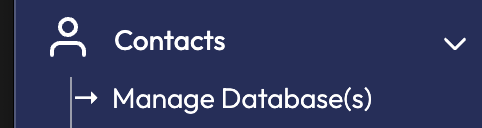
Click Contacts -> Manage Database(s) from the left Navigation menu (Fig 1).
Fig 1
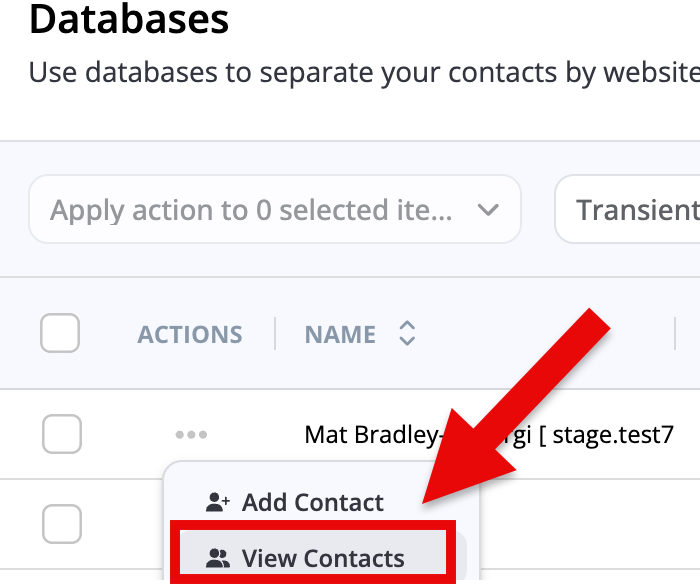
Click the "..." icon in the Actions column next to the Database you want to view Contacts for and click on "View Contacts" (Fig 2).
Fig 2
Now, you're on the Contacts page where it displays the contacts of your selected database.
Click on the Filters button so we can display bounced email contacts.
Fig 3

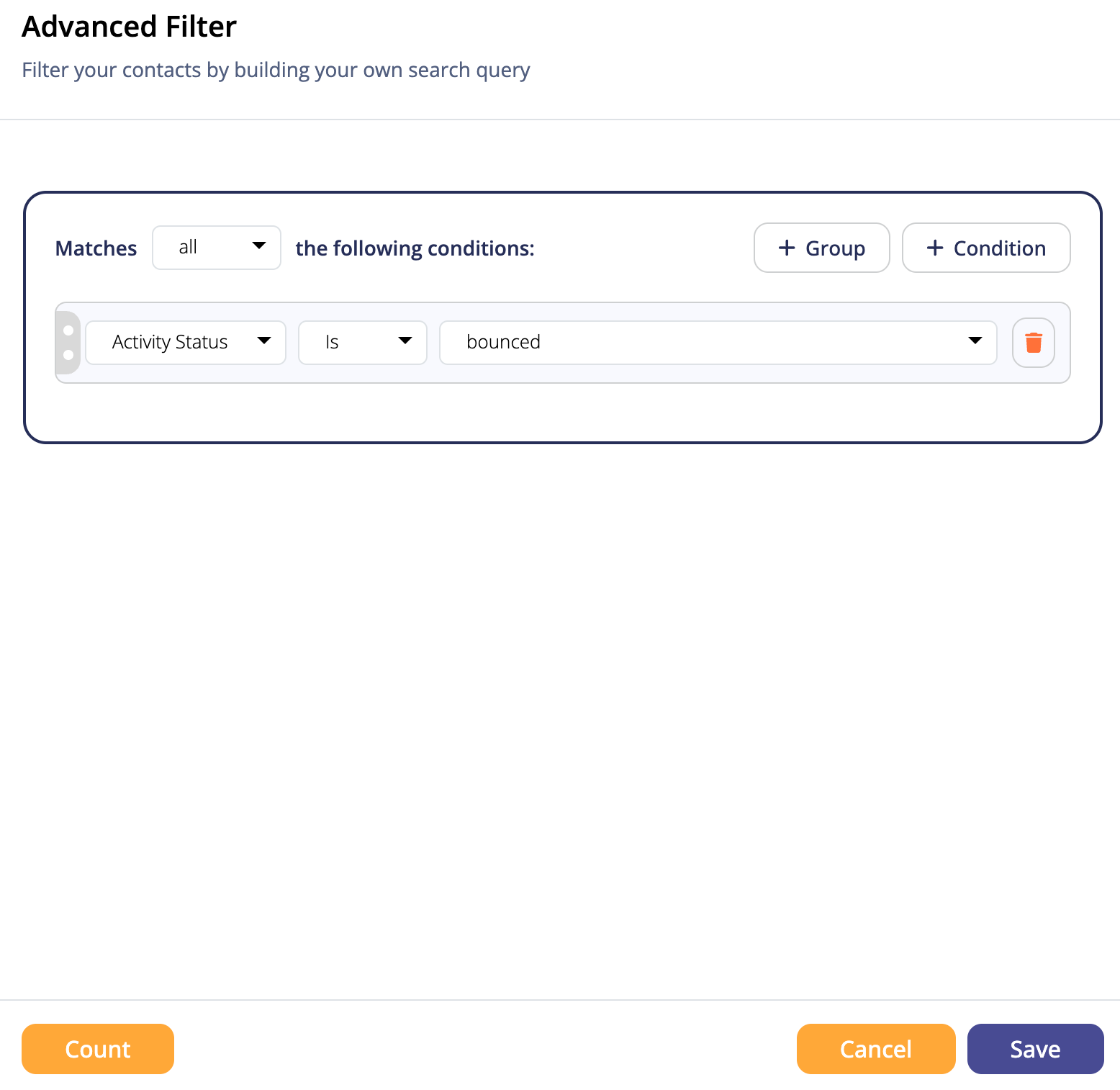
In the Advanced Filter modal, configure the filter to state "Activity Status is bounced" as in the example below (Fig 4). After click "Save", the list of Contacts should be filtered to only show the bounced emails.
Fig 4
Legacy UI
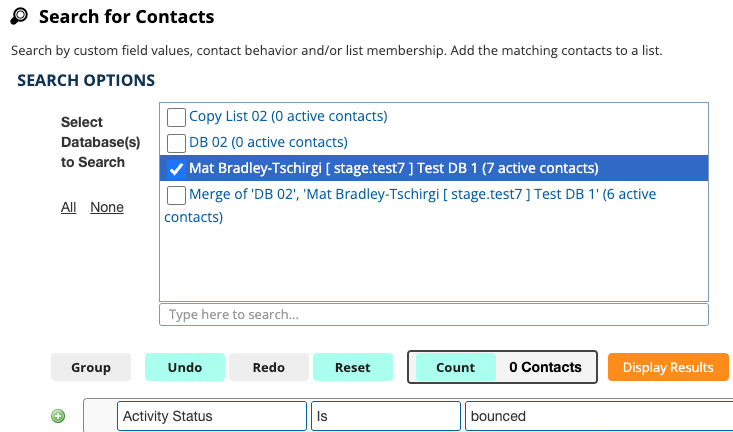
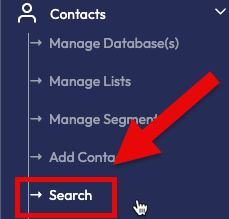
Click on Contacts -> Search (Fig 1)
Fig 1
From the database list, check the one you would like to do the search on.
In the search drop-down boxes, select "Activity Status" as the item in the first box; select "is" in the second box, and select "bounced" in the third box.
You can now click the Display Results button to see your list of bounced contacts. You may stop here if you only want to view your bounced contacts, or you may choose to export the data for further review (Fig 2).
Fig 2